You tap a product, wait, wait a bit more, and the page finally lurches into view. Your customers feel that too, and plenty of them won’t hang around.
In short: Most slow shops are held back by a mix of oversized images, too many apps or extensions, a heavy theme and underpowered hosting. Google measures the effect with three Core Web Vitals: LCP (loading), INP (responsiveness) and CLS (stability). Fix images first, then trim extensions, then look at theme and hosting.
Why is my online shop slow?
There’s rarely one single villain. Usually it’s several small things stacking up, a bit like a van that’s overloaded, low on tyre pressure and stuck in second gear.
The good news is that the causes are well known, and most can be measured. Once you know which one is hurting most, you can fix things in a sensible order rather than guessing.
What are Core Web Vitals, in plain English?
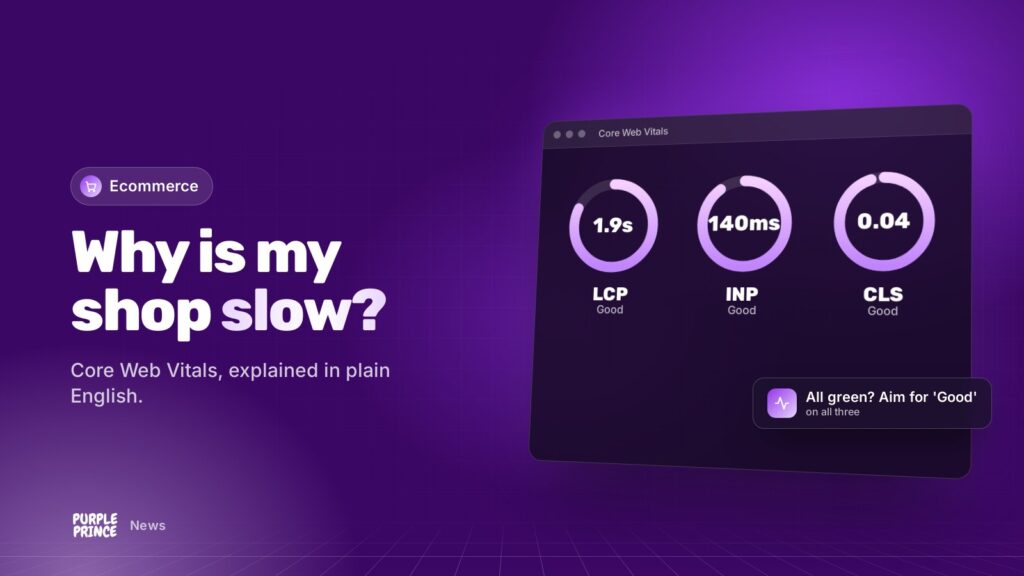
Core Web Vitals are three measurements Google uses to judge how a page feels to real visitors. They’re based on data from actual Chrome users, and Google looks at the 75th percentile, which roughly means “the experience most of your visitors get, including the slower ones”.
LCP: how quickly does the main thing appear?
Largest Contentful Paint measures how long the biggest visible element, often your hero image or main product photo, takes to show. Google’s “good” target is 2.5 seconds or less.
INP: how quickly does it react when I tap?
Interaction to Next Paint measures how fast the page responds when someone taps “add to basket”, opens a menu or picks a size. Good is 200 milliseconds or less. INP replaced the older FID metric in March 2024.
CLS: does the page jump about?
Cumulative Layout Shift measures how much things move while the page loads. You know the moment: you go to tap a button and a banner pushes it down. Good is a score of 0.1 or less.
Speed isn’t a vanity number. It’s how your shop feels in a customer’s hand.
What usually slows an online shop down?
Images
Huge product photos straight off the camera are the most common problem we see. A phone screen doesn’t need a print-quality image. Properly sized, compressed images in modern formats like WebP make a big difference to LCP.
Apps, plugins and extensions
Every chat widget, review badge, tracking script and pop-up adds code. One or two are fine. A dozen, all loading on every page, will hurt INP and slow everything else down.
Your theme
Some themes load a lot of JavaScript whether you need it or not. On Magento, for example, the default Luma theme is noticeably heavier than a lean theme like Hyvä.
Hosting
If the server takes ages to start sending the page, nothing else can make up for it. Cheap shared hosting struggles with busy shops, especially database-heavy platforms like Magento and WooCommerce.
How do I check my shop’s speed?
- Run your homepage, a category page and a product page through Google’s PageSpeed Insights.
- Look at the real-user data section first. That’s what Google actually uses.
- Check the Core Web Vitals report in Google Search Console to see which page groups are struggling.
- Test on your own phone, on mobile data, not just on the office Wi-Fi.
- Note your numbers down, so you can see whether changes actually help.
What are the quick wins?
- Resize and compress images, and lazy-load the ones below the fold (images that only load as you scroll to them).
- Remove apps and extensions you don’t use. Be ruthless.
- Set sizes for images and banners so the page reserves space and stops jumping about.
- Make sure caching is switched on and working, so pages aren’t rebuilt from scratch for every visitor.
- Load third-party scripts later where you can, rather than all at once.
What are the deeper fixes?
If the quick wins don’t get you into the green, it’s time to look under the bonnet.
- Move to faster hosting built for your platform, with proper caching and enough resources.
- Rebuild on a lighter theme. For Magento stores, Hyvä is the go-to option.
- Tidy up the code: slow database queries, badly behaved extensions and old customisations.
- Keep your platform up to date, as newer versions often bring performance improvements alongside security fixes.
Does a slow shop hurt my Google rankings?
Core Web Vitals are part of how Google assesses page experience, but great content and relevance still matter most. Think of speed as a tie-breaker in search, and a much bigger deal for conversions.
A shopper who gives up waiting doesn’t buy, however well you rank. That’s why we’d fix speed for your customers first, and treat the SEO benefit as a bonus.
If you’re still asking “why is my online shop slow?” after the quick wins, that’s where we come in. Our hosting runs on our own NGINX and PHP-FPM stack with 24/7 monitoring, our Magento support team tracks down the knottier problems, and our SEO folk make sure Google notices the difference.
Want a second pair of eyes on your shop’s speed? Get in touch for a no-obligation chat.