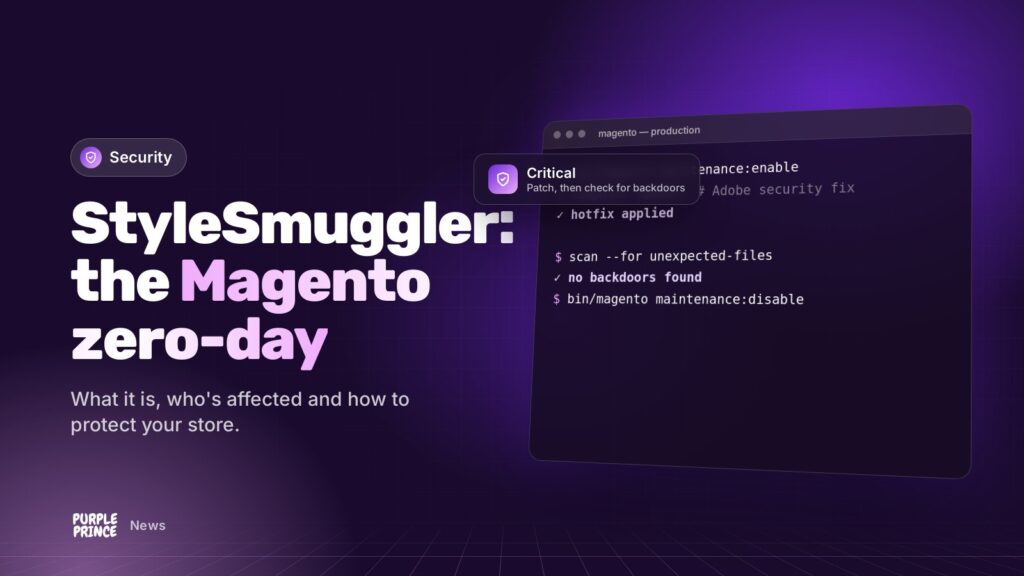
Early in September, attackers started breaking into Magento stores using a flaw nobody knew about. Adobe has now released a fix, but if you run a Magento or Adobe Commerce store, there’s more to do than just install it.
In short: The Magento StyleSmuggler vulnerability (CVE-2026-75650) lets attackers run their own code on a store’s server without logging in. It was exploited from 4 September 2026 and Adobe fixed it on 7 September in bulletin APSB26-146. Apply the hotfix now, then check your store for backdoors, because patching doesn’t remove an existing break-in.
Update, October 2026: Adobe regularly ships follow-up security updates for Magento and Adobe Commerce. If you patched for StyleSmuggler in September, check you’re on the very latest security patch too, not just the September one.
What is the Magento StyleSmuggler vulnerability?
StyleSmuggler is the nickname for a critical security flaw in Magento Open Source and Adobe Commerce, tracked as CVE-2026-75650. A CVE is simply a public reference number for a security flaw, so everyone can talk about the same thing.
Adobe gave it a CVSS score of 10.0, the maximum on the industry’s severity scale. It was discovered by the Magento security firm Sansec, which spotted it being used in real attacks before any fix existed. That’s what “zero-day” means: the defenders had zero days’ notice.
How does the attack work, in plain English?
Magento uses templates to build things like emails and pages. StyleSmuggler lets an attacker sneak their own instructions into that template system through a website request, without needing a login. Magento is then tricked into running those instructions on your server.
Sansec reported that the main trigger was Magento’s ordinary failed-payment reminder email, which is why unexpected bursts of those emails are one of the warning signs.
What can an attacker do with it?
Running code on your server means they can, in principle, do anything your store can do: read the database, plant hidden backdoors for later, or add card-skimming code to your checkout. Sansec observed attackers installing programs disguised as normal system processes so they’d blend in.
A patch locks the door. It doesn’t check whether someone’s already inside.
Is my Magento store affected by StyleSmuggler?
If you run Magento 2 Open Source or Adobe Commerce on a current 2.4 release, assume yes until you’ve confirmed otherwise. Sansec reproduced the attack on clean installs of 2.4.7, 2.4.8 and 2.4.9, the newest version, and Adobe Commerce B2B is covered by the bulletin too.
Different sources quote slightly different version ranges for the fix, so check Adobe’s bulletin for your exact version. If you’re on a very old Magento 2 release that’s outside Adobe’s support, there may be no official fix at all, which is a strong nudge to plan an upgrade.
How do I protect my store from the Magento StyleSmuggler vulnerability?
Work through these in order. If you’ve got a developer or agency, send them this list.
- Apply Adobe’s hotfix. Adobe’s bulletin APSB26-146, published on 7 September 2026, ships the fix as a hotfix called VULN-39341 rather than a new Magento version, so it can go on top of the version you already run.
- Confirm it’s really applied. The hotfix doesn’t change the version number Magento reports, so a version check won’t tell you. Your developer can confirm it with Adobe’s patch status tooling.
- Add a web application firewall (WAF) if you don’t have one. A WAF filters out malicious requests before they reach Magento. Several security vendors have added rules for this attack.
- Check for signs of compromise (more on that below).
- Rotate your keys and passwords. Adobe advises rotating your Magento encryption key after patching. Sansec adds that you should also change the credentials that key protects, such as payment and API keys, at their source.
Why isn’t patching enough on its own?
The attacks began before the fix existed. Any store that was hit in that window may already have a backdoor: a hidden script or program that lets the attacker back in whenever they like, patched or not.
Installing the hotfix stops new break-ins through this particular hole. It does nothing about someone who’s already got a key to the back door. That’s why a proper compromise check matters, especially for stores that took a while to patch.
What are the signs a Magento store has been compromised?
Some of these need a developer or your host to check, but they’re worth knowing about:
- Bursts of failed-payment emails you can’t explain. Genuine declines happen, so look for unusual spikes.
- Unfamiliar processes on the server pretending to be system tasks. Sansec reported names like
[kworker/u:8:0],fc-cacheandchronyd, which are also names of real system processes, so it’s who owns them and where they run from that matters. - New or changed cron jobs (scheduled tasks) you didn’t set up.
- PHP files inside
pub/media, where images belong and code doesn’t. - Odd entries in Magento’s logs and report files, and suspicious requests to the
/graphqlendpoint. - New admin users, or unexpected changes to checkout scripts and configuration.
A specialist Magento malware scanner will check for far more than this list. If anything turns up, treat it as a full incident: preserve evidence, clean properly and rotate credentials.
What if I can’t patch straight away?
Then reduce your exposure while you sort it. A WAF with rules for this attack is the main stopgap. Sansec also suggested temporarily restricting GraphQL (Magento’s API used by some front ends and integrations) if you don’t rely on it, though that can break headless storefronts and some apps, so test first.
Stopgaps buy time. They’re not a replacement for the fix.
What does this mean for Magento store owners longer term?
Zero-days like this are rare, but they happen to every major platform. The stores that come through them best tend to have the same things in place: someone watching security announcements, a quick route to apply patches, monitoring, decent backups and hosting that’s set up with Magento in mind.
That’s the thinking behind our Magento support and Magento hosting. And if you’re on an old release that Adobe no longer patches, our Magento development team can help you plan the upgrade.
Worried about your store? Get in touch and our certified Magento developers will talk you through it.