Adding AI to a business app used to mean a lot of custom plumbing and crossed fingers. With Laravel’s official AI SDK, the plumbing is now standard, which means we can spend our time on the bit that matters: making it useful and safe.
In short: The Laravel AI SDK is Laravel’s official toolkit for adding AI to apps. It gives one consistent way to use providers like OpenAI, Anthropic and Gemini for text, agents, embeddings, images and audio, with failover, testing tools and human approval built in. Start small, protect your data and keep people in the loop.
What is the Laravel AI SDK?
Laravel is the PHP framework we use to build bespoke business apps. An SDK (software development kit) is a set of ready-made building blocks. The Laravel AI SDK, released alongside Laravel 13 in March 2026 and reaching version 1.0 in September 2026, gives developers a single, tidy way to add AI features.
The big win is that it’s provider-agnostic. Your app talks to the SDK, and the SDK talks to whichever AI provider you choose. Switching provider later is mostly a configuration change rather than a rewrite.
What can the Laravel AI SDK do?
According to the official documentation, the headline features include:
- Agents: reusable AI “workers” with their own instructions, which can call tools (bits of your app’s code) to look things up or take actions.
- Structured output: asking the AI to reply in a fixed format, so your app gets tidy data rather than a wall of text.
- Embeddings and vector search: turning text into numbers that capture meaning, so your app can search by what people mean, not just exact words.
- Conversation memory: storing chat history in your own database.
- Images, audio and transcription: generating images, turning text into speech and speech into text.
- Failover: automatically trying a backup provider if the main one is overloaded or rate-limited.
- Testing fakes: letting developers test AI features without calling a real AI service every time.
What could AI do inside your business app?
Here are a few possibilities we think are worth exploring. None of them needs to be complicated.
An assistant that knows your business
Staff could ask questions in plain English, like “what did we quote this customer last year?”, and get answers drawn from your own records, with links back to the source.
Reading documents for you
Uploaded invoices, order forms or certificates could be read by AI and turned into structured data, ready for someone to check and approve.
Smarter search
Customers or staff could find products, jobs or documents by describing what they want, even if they don’t know the exact name.
Summaries and drafts
Long case notes, support tickets or email threads could be summarised in a couple of lines, and replies drafted ready for a human to tweak.
How do you add AI to an app safely?
This is where we spend most of our thinking. The SDK gives us good tools, but safety comes from how the app is designed.
Protect your data
- Send the AI only what it needs. Strip out personal details that aren’t relevant.
- Choose providers and plans with clear data terms, and check whether your data is retained or used for training.
- Remember that under UK GDPR you’re still responsible for personal data you send to an AI provider.
- Keep API keys locked away on the server, never in the browser.
- Respect permissions: an assistant should only see records the logged-in user is allowed to see.
Keep a human in the loop
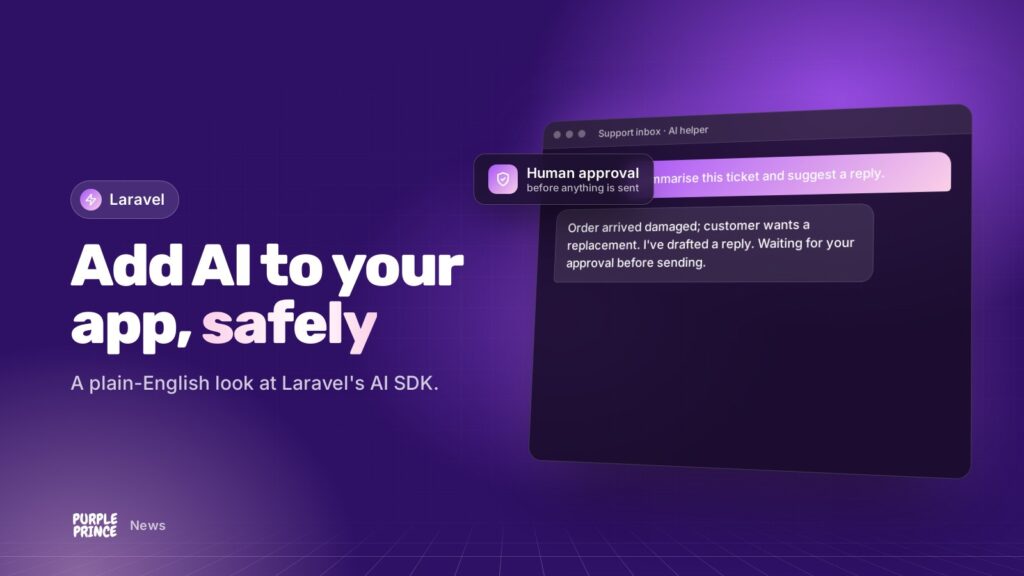
AI can be confidently wrong. So for anything that matters, the AI suggests and a person decides. The Laravel AI SDK supports this directly: tools can be marked as needing approval, so an agent pauses and waits for a human to say yes before, say, deleting a file or emailing a customer.
The AI suggests, a person decides. That one rule prevents most AI headaches.
Keep running costs under control
AI providers usually charge by usage, so costs scale with how much you use them. Sensible guard rails include:
- Using smaller, cheaper models for simple jobs and saving the bigger models for harder ones. The SDK has settings for exactly this.
- Capping how much an agent can do in one go, such as limiting steps or response length.
- Caching results so the same question isn’t paid for twice.
- Running heavy jobs in the background through queues, so they’re controlled and don’t slow the app down.
- Logging usage so you can spot anything unexpected early.
How should you start with the Laravel AI SDK?
Small and specific beats big and vague every time. Here’s the approach we’d suggest:
- Pick one task. Something repetitive, text-heavy and low-risk if it goes slightly wrong.
- Decide what “good” looks like. Time saved, fewer errors, faster replies. Be honest about it.
- Build a working version. We build direct and tweak together with your team, using real examples.
- Keep humans approving. Especially at the start, every AI output gets checked.
- Measure, then grow. If it earns its keep, expand. If not, you’ve learnt cheaply.
If your app already runs on Laravel, adding the SDK is usually straightforward, though upgrading to a supported Laravel version first is wise. Our PHP and Laravel support team can check where you stand.
Is the Laravel AI SDK right for your business?
If you’ve got a Laravel app, or you’re planning one, it’s a sensible, well-supported way to add AI without locking yourself into one provider. Our AI for business service focuses on practical uses like these, and we build new Laravel applications with AI designed in from day one.
Got an idea, or just curious? Get in touch for a no-obligation chat and we’ll talk it through in plain English.