Moving your shop to Magento should be an upgrade, not a reset button on years of hard-won Google rankings. Get the groundwork right and your visitors (and Google) barely notice the switch.
In short: Good Magento migration SEO comes down to mapping every old URL to its new equivalent, setting up 301 redirects, carrying over page titles and content, moving customers and orders, testing on staging, checking carefully on launch night and monitoring Search Console for weeks afterwards. Expect a little wobble, not a collapse.
Why do shops lose Google rankings when they migrate?
Google ranks individual pages at specific web addresses (URLs). When you change platform, those addresses usually change too. If the old ones just disappear, Google sees a pile of “page not found” errors and the rankings attached to them fade away.
The other usual suspects are lost page titles and descriptions, thinner product content, broken internal links and accidentally blocking search engines on the new site.
Your rankings belong to your URLs. Look after the URLs and the rankings follow.
Step 1: How do I map my old URLs to new ones?
Before anything gets built, crawl your current site and export every URL: products, categories, information pages, blog posts and images that get search traffic.
- Pull your top pages from Google Search Console and Google Analytics, so you know which ones matter most.
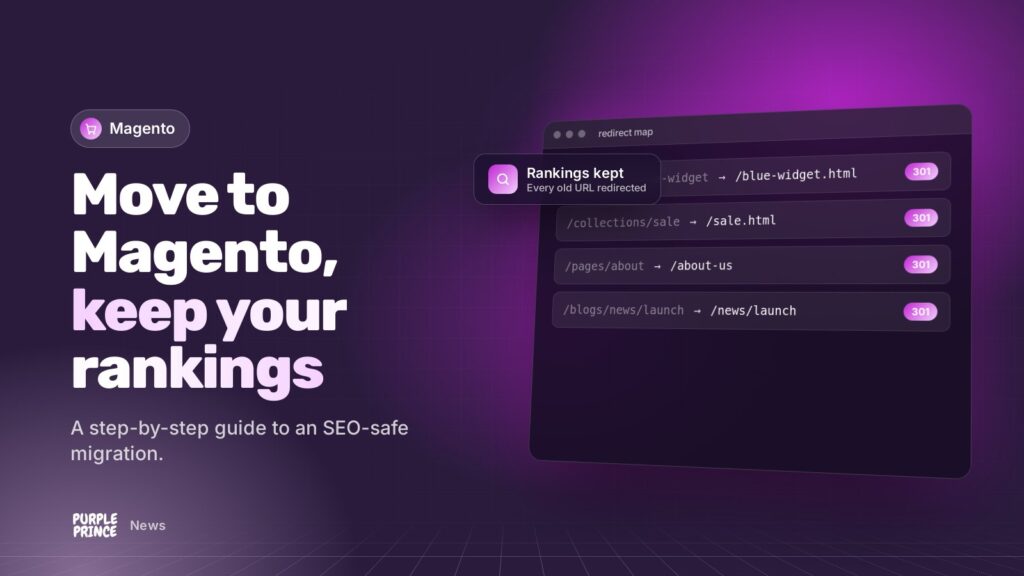
- Match each old URL to the closest equivalent on the new Magento store.
- Where a product’s gone for good, point it at the most relevant category, not the homepage.
- Keep URLs the same wherever you sensibly can. Fewer changes means fewer risks.
Google’s own guidance on site moves says it’s important to map old URLs to new ones, and to use that map to update canonical tags and internal links too.
Step 2: How do 301 redirects protect my rankings?
A 301 redirect is a permanent “we’ve moved” sign. When someone, or Google, visits an old URL, they’re sent straight to the new one. Google says 301 and other permanent redirects don’t cause a loss in PageRank, its measure of link value.
Magento has built-in URL rewrites you can use for this, or redirects can be handled at server level. Either way:
- Redirect old URL to new URL in one hop, not a chain of several.
- Use 301s (permanent), not 302s (temporary).
- Keep them in place for at least a year, as Google recommends, and ideally for good.
Step 3: How do I keep customer accounts and order history?
Losing customer logins and order history is a quick way to annoy your best customers. Plan the data move carefully.
- From Magento 1: Adobe’s Data Migration Tool moves products, customers, orders, store settings and promotions into Magento 2. It doesn’t move themes or custom code.
- From other platforms: customers, orders and products are usually moved with import tools or custom scripts, mapped field by field.
- Passwords: depending on the old platform, customers may need to reset their password on first login. Tell them in advance, nicely.
- Delta sync: new orders keep coming in during the build, so plan a final top-up of data just before launch.
Step 4: What should I test on staging?
A staging site is a private copy of the new store where everything gets tested before customers see it. Keep it hidden from Google with password protection.
- Test a big sample of your redirect map, especially your highest-traffic URLs.
- Check page titles, meta descriptions and headings have carried over.
- Check product descriptions, images and reviews are all there.
- Run through browsing, search, basket, checkout, payments and emails.
- Log in as a test customer and check order history shows correctly.
- Check speed. A migration is a great chance to be faster than before.
Step 5: What should I check on launch night?
- Remove any staging password and “noindex” settings, so search engines can see the new site.
- Check robots.txt isn’t blocking anything important.
- Test redirects live on the real domain.
- Generate a fresh XML sitemap and submit it in Google Search Console.
- Place a real test order from start to finish.
- Check analytics and tracking are firing properly.
Step 6: How do I monitor SEO after the migration?
Google says that for medium-sized sites, it can take a few weeks or more for the new URLs to settle in, and that visibility may fluctuate temporarily during the move. That’s normal.
- Watch Search Console’s page indexing report and crawl errors daily for the first couple of weeks.
- Fix any 404 errors (page not found) by adding redirects you missed.
- Compare traffic to your key pages against pre-launch figures.
- Update internal links and big external links to point straight at the new URLs.
Why get help with Magento migration SEO?
A migration has a lot of moving parts, and the SEO bits are easy to overlook while everyone’s focused on the new design. We’re certified Magento developers, and our Magento migration service bakes URL mapping, redirects and data migration in from day one.
We build direct and tweak together on staging, so you see the real store early. Our SEO team then keeps an eye on rankings after launch, and our Magento hosting gives the new store a quick, monitored home.
Planning a move? Get in touch for a no-obligation chat about your migration.